


chicken
chicken
Chicken - The Ultimate Funny Shooting Game Experience
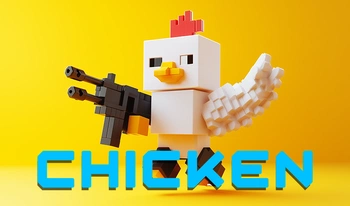
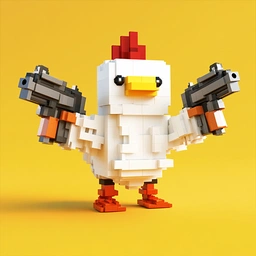
Chicken is an action-packed shooting game featuring hilarious chickens from CS that have learned to shoot! These feathered warriors explode into pieces upon defeat, only to respawn and battle again in this addictive multiplayer shooter. With its unique blend of humor and competitive gameplay, Chicken offers a fresh take on the FPS genre that appeals to casual and hardcore gamers alike.
Key Features of Chicken Game: 1. Customizable Chickens: Upgrade your chicken warrior with epic skins for weapons, armor and helmets to stand out on the battlefield 2. Competitive 5v5 Mode: Join the red team 🐓 or blue team 🐓 in intense team battles 3. Fast-Paced Arms Race: Our most popular mode where chickens compete to upgrade weapons the fastest 4. Ranking System: Earn rating points with each victory and climb through the leagues to reach the prestigious LEGEND status 5. Explosive Gameplay: Experience hilarious chicken explosions and instant respawns for non-stop action
Upcoming Features: - Exciting tournaments with special rewards - New maps and game modes based on player feedback Pro Tip: Master different weapon types and learn map layouts to dominate matches. The knife can be surprisingly effective in close quarters! We're constantly updating Chicken with new content. Tell us in the comments what maps you'd like to see added to the game!
Chicken Game Controls - How to Play Like a Pro
Mastering Chicken's controls is the first step to becoming a top player. Here's the complete control guide for all platforms:
🧩🎮 PC Controls (Keyboard & Mouse): - Movement: WASD keys or arrow keys - Jump: Spacebar - Weapon Pickup: Press "E" near weapons - Weapon Selection: 1 - Primary Weapon 2 - Secondary Pistol 3 - Knife (great for stealth attacks) 4 - Grenades (perfect for flushing out enemies) - Shoot: Left mouse button - Aim Down Sights: Right mouse button - Reload: R key Advanced Tips: - Crouch (Ctrl key) to reduce recoil and become a harder target - Use grenades strategically to control enemy movement
🧩🎮 Mobile Controls (Touchscreen): - Movement: Left-side virtual joystick - Camera/Look: Right-side touch area - Fire Button: Bottom right corner - Weapon Wheel: Tap the weapon icon to switch between arms - Jump Button: Located near movement controls Mobile Pro Tip: Adjust sensitivity in settings for better aiming precision. Use the auto-fire option if you're new to mobile shooters.
How to Play Chicken Game for Free on All Platforms
🧩🎮 Chicken is completely free to play with no pay-to-win mechanics! You can enjoy the full game experience without spending money. Here's where to play: - Web Browsers: Play instantly on Grow A Garden with no downloads required - Mobile Devices: Available on both iOS and Android app stores - PC Version: Coming soon with enhanced graphics options The game monetizes through optional cosmetic upgrades that don't affect gameplay balance. All weapons and maps are available to free players!
Cross-Platform Play - Chicken on Mobile & Desktop
🧩🎮 Chicken offers seamless cross-platform gameplay across all devices: - Smartphones (iOS/Android): Optimized for touch controls with adjustable UI - Tablets: Larger screens provide better visibility of the battlefield - PC (Web & Soon Native): Precision mouse and keyboard controls All versions feature: - The same exciting game modes - Unified progression system - Cross-play between platforms Performance Tips: - Mobile: Close background apps for smoother gameplay - PC: Use wired connection for lowest latency - All Platforms: Lower graphics settings if experiencing frame drops
User Comments (10)
Needs more character customization.
The soundtrack is amazing!
Best game I've played this year!
Could be better with more levels.
Too many ads, but fun to play.
Addictive gameplay, highly recommend!
The soundtrack is amazing!
Needs more character customization.
Too many ads, but fun to play.
Needs more character customization.